![logo-1.png]](https://support.cashierlive.com/hs-fs/hubfs/logo-1.png?height=40&name=logo-1.png)
- If the initial prescription fill was not done through CashierLiveRx the prescription can be sent for payment to CashierLiveRx using the RxWatch module.
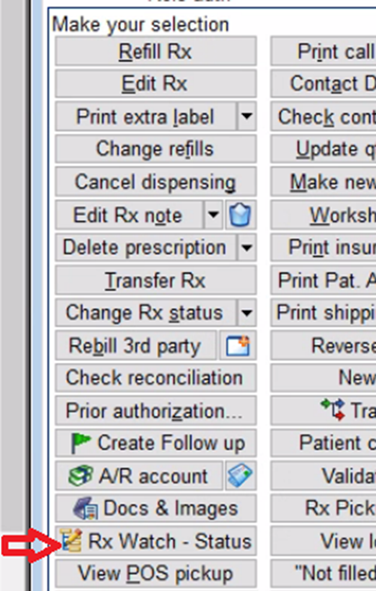
- Pull up the prescription in the pharmacy system and click the RxWatch-Status button.
- In the pop-up window double click “CASHIERLIVERX” to set status as CashierLiveRx
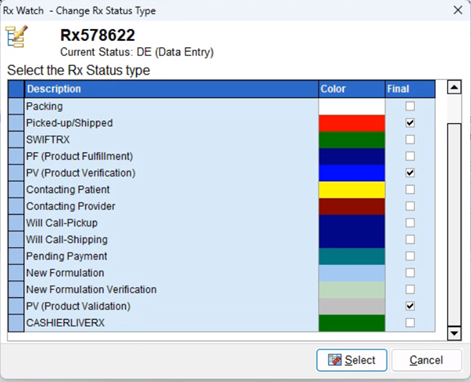
- The next prescription payment will be available to the patient in CashierLiveRx for payment.
- Once the paid order is received you MUST add CashierLiveRx as the payment method to allow CashierLiveRx to receive the tracking information from Pk.